
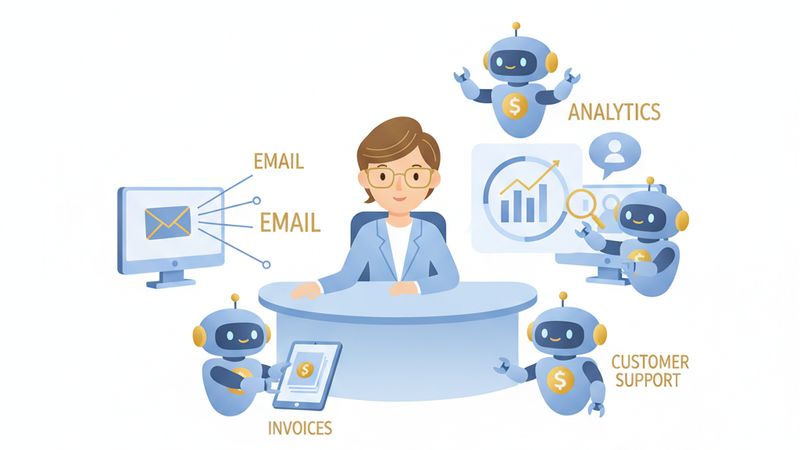
If you have been following the AI conversation over the past year, you have probably noticed a shift. The hype is no longer just about chatbots that answer questions or tools that generate text. The new focus is on AI agents, systems that can plan, decide, and execute entire workflows on your behalf. For small business owners, this is worth paying attention to.
The numbers tell the story. According to Gartner, 40% of enterprise applications will be integrated with task-specific AI agents by the end of 2026, up from less than 5% in 2025. IDC forecasts a 10x increase in AI agent usage by G2000 companies over the same period. This is not a niche trend. It is the next layer of business technology, and it is arriving faster than most people expect.
This article breaks down what AI agents actually are, how they differ from the chatbots you already know, and how your small business can start using them today without needing a development team or a six-figure budget.
What Is an AI Agent (and How Is It Different from a Chatbot?)
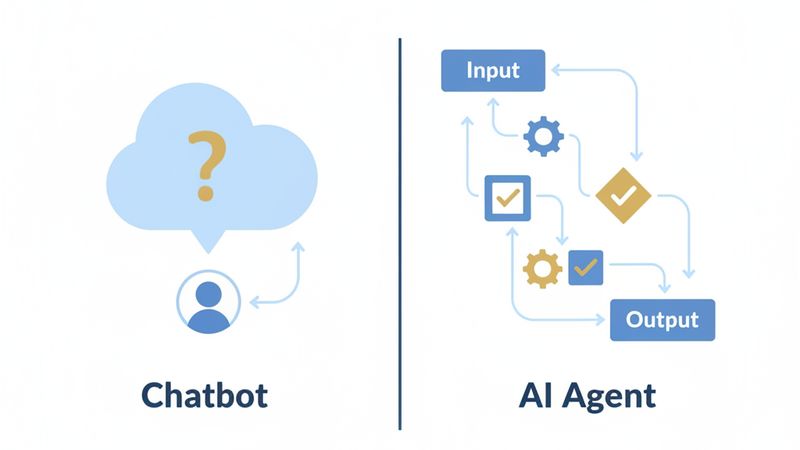
An AI agent is an autonomous system that can plan a sequence of tasks, make decisions based on changing conditions, and execute work without constant human supervision. Unlike a traditional chatbot that waits for your question and gives you an answer, an agent takes an objective and figures out how to accomplish it step by step.
The distinction is important. As the Koley Jessen legal guide on agentic AI puts it clearly: “Generative AI creates content; agentic AI accomplishes tasks.” ChatGPT can write you an email if you ask. An AI agent can monitor your inbox, identify leads, draft personalised responses, update your CRM, and schedule follow-up calls, all without you lifting a finger.
Think of it this way. A chatbot is like a receptionist who answers questions when someone walks up to the desk. An AI agent is like a virtual employee who handles entire workflows from start to finish. You give it a goal, and it works out the steps, executes them, adapts when things change, and reports back when the job is done.
This does not mean agents work without any oversight. The best implementations keep a human in the loop for high-stakes decisions. But for routine, repeatable processes, agents can handle the heavy lifting while you focus on the work that actually needs your judgement.
Why AI Agents Matter for Small Businesses Right Now
The analyst community is converging on one message: 2026 is the breakout year. Gartner identifies multiagent systems as a Top Strategic Technology Trend for 2026, and Forrester highlights them as a top emerging technology for the same year. IDC projects token and API call loads rising a thousandfold by 2027 as organisations deploy agents at scale.
If those numbers sound like they only apply to large enterprises, think again. Small businesses actually have a significant advantage here. You have agility. You can test a new tool in a week, not six months. You do not need to navigate layers of bureaucracy, compliance committees, or legacy IT infrastructure. When a solo operator or a ten-person team decides to deploy an AI agent, it can be running by Friday.
The cost of waiting is real. Your competitors who adopt agents early will operate faster and cheaper. They will respond to leads in minutes instead of hours. They will produce content at twice the rate. They will catch overdue invoices before they become bad debts. Every month you delay is a month they are compounding that advantage.
10 AI Agents You Can Build for Your Business Today
You do not need to start with a grand AI strategy. Based on practical use cases highlighted by Forbes, here are ten agents that deliver immediate value for small businesses.
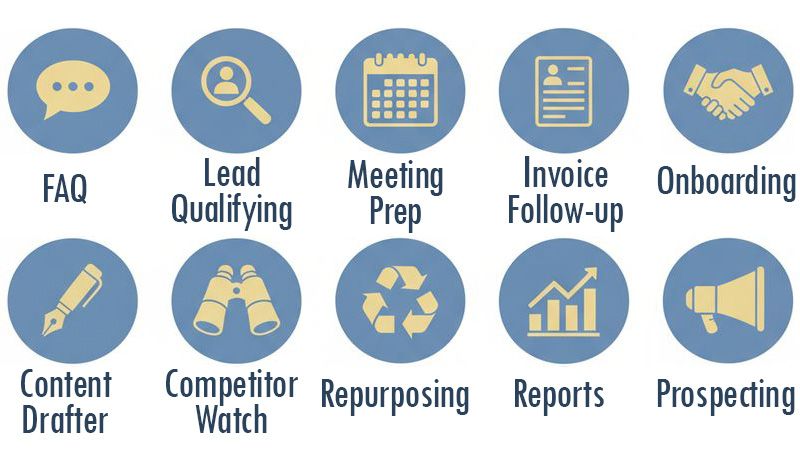
1. Client FAQ Agent This agent handles your top 20 most common customer questions automatically, drawing answers from your knowledge base, website, and past support tickets. It frees up hours of repetitive back-and-forth every week and ensures customers get instant, consistent responses around the clock.
2. Lead Qualifying Agent Instead of manually reviewing every inbound enquiry, this agent screens leads against your ideal customer criteria, scores them by fit and intent, and sends you a prioritised report. You spend your time on prospects who are ready to buy, not tyre-kickers.
3. Competitor Watch Agent This agent monitors competitor websites, social media profiles, and pricing pages on a weekly schedule, then delivers a summary of what has changed. You stay informed about market shifts without spending hours on manual research.
4. Meeting Prep Agent Before any client call, this agent pulls the attendee’s LinkedIn profile, your CRM history with them, recent company news, and any open proposals. You walk into every meeting fully briefed in a fraction of the time it would take to do this manually.
5. Invoice Follow-Up Agent Late payments are a persistent headache for small businesses. This agent sends polite, escalating reminders for overdue invoices on a schedule you set. It handles the awkward chasing so you do not have to, and it does it consistently every time.
6. Brand-Consistent Content Drafter Feed this agent your brand guidelines, tone of voice, and a few examples of content you like. It will draft social media posts, email campaigns, and blog outlines that sound like you wrote them. You review and approve rather than starting from a blank page.
7. Client Onboarding Agent When a new client signs up, this agent automatically sends the welcome email, intake questionnaire, calendar booking link, and onboarding checklist. Every new client gets a polished, professional experience without you manually sending five separate messages.
8. Weekly Report Builder This agent pulls data from your analytics, CRM, and advertising platforms every Friday and compiles it into a one-page summary with key metrics and trends. No more spending Monday morning trying to piece together last week’s performance.
9. Content Repurposing Engine Write one blog post or record one video, and this agent turns it into LinkedIn posts, email newsletter content, social media updates, and video scripts. It multiplies the value of every piece of content you create. If you are already doing marketing automation, this is the natural next step.
10. Outbound Prospecting Agent This agent identifies potential customers who match your ideal profile, researches their business, and creates personalised outreach messages. It handles the time-consuming groundwork of prospecting so you can focus on actual conversations.
How to Choose Your First AI Agent
With ten options on the table, it can be tempting to start with the most exciting one. Resist that urge. Start where the return on investment is clearest and the complexity is lowest.
The best framework for making this decision is an impact versus complexity assessment. If you have read our article on why most businesses automate the wrong things and how to prioritise effectively, you will recognise this approach. Map each potential agent against two axes: how much time or money it saves, and how difficult it is to build. Start in the high-impact, low-complexity quadrant.
The results from early adopters are encouraging. According to Business 2.0 News, the average small business using customer service agents saves over 40 hours per month on customer communication. Early adopters of finance automation report significant reductions in manual processing time, and sales teams using AI agents for lead generation and outreach are seeing measurable improvements in pipeline efficiency.
Here is a practical rule of thumb. If a task eats up more than five hours of your week, follows a repeatable pattern, and does not require nuanced human judgement at every step, it is a strong candidate for your first agent. The Client FAQ Agent, Invoice Follow-Up Agent, and Weekly Report Builder tend to be the easiest wins for most small businesses.
Where to Build: AI Agent Platforms for Non-Technical Owners
You do not need to write code to build an AI agent. The tooling has matured rapidly, and there are now several categories of platform to consider.
No-code workflow tools are the most accessible starting point. Platforms like Make.com, n8n, and Zapier AI Actions let you connect apps, define triggers, and build multi-step automations with a visual drag-and-drop interface. If you can set up a spreadsheet formula, you can build a basic agent on these platforms.
AI-native platforms go a step further. Claude by Anthropic, Microsoft Copilot Studio, and Abacus DeepAgent are designed specifically for building intelligent agents that can reason, plan, and adapt. These platforms handle more complex use cases where the agent needs to make judgement calls, not just follow a fixed sequence.
As IDC notes, “In-app AI agents and greater use of no-code and low-code agentic orchestration platforms will make it easier than ever to deploy new agents.” The barrier to entry is dropping every month.
So when do you need a developer? For straightforward agents that connect existing tools and follow predictable workflows, no-code platforms are perfectly sufficient. If you need an agent that integrates deeply with custom databases, handles complex conditional logic, or manages sensitive data with strict security requirements, that is when bringing in a specialist makes sense. If you are unsure where to start, our AI consulting service can help you identify the right agents for your business and build them, whether on no-code platforms or with custom development.
The Risks You Need to Know About
AI agents are powerful, but they are not without risk. It is important to go in with eyes open.
Gartner predicts that over 40% of agentic AI projects will be cancelled by the end of 2027. That is a sobering number, and it tells you that getting this right requires more than just enthusiasm.

Loss of control is the most frequently cited concern. Agents that act autonomously can take unintended actions if their instructions are not precise enough. An outbound prospecting agent with vague targeting criteria could spam the wrong people and damage your brand reputation.
Data privacy is another critical consideration. Agents often need access to customer data, financial records, and business intelligence to do their jobs. You need to understand exactly what data each agent can access and ensure it complies with privacy regulations.
Runaway costs catch many businesses off guard. Agents run around the clock, and every action they take consumes API credits. IDC’s forecast of thousandfold growth in token and API call loads highlights this challenge at scale. Even for small businesses, an agent that runs inefficiently can rack up surprising bills. Organisations need tiered strategies: use cheaper models for routine tasks and reserve premium models for high-stakes decisions.
Over-dependency is a subtler risk. If your entire invoicing follow-up relies on one agent and that agent goes down, do you have a fallback? Build redundancy into critical workflows.
The practical safeguards are straightforward. Implement real-time monitoring so you can see what your agents are doing. Build in kill switches that let you pause an agent instantly. Keep a human in the loop for any decision that involves significant money, legal obligations, or customer relationships. Maintain audit trails so you can review what happened and why. And above all, start small. A single well-built agent that saves you five hours a week is far more valuable than five half-built agents that create new problems.
Getting Started: Your First AI Agent This Week
Here is a five-step plan to get your first AI agent running within the next seven days.
Step 1: Identify your biggest weekly time drain. Ask yourself, or better yet ask your team, what repetitive task eats up the most time every week. Look for work that follows a consistent pattern and does not require creative thinking at every step.
Step 2: Check if it passes the automation readiness test. Not every time-consuming task is a good candidate for an agent. Use the prioritisation framework from our automation article to assess whether the task is truly ready to be handed to an AI agent. The best candidates are high-frequency, rule-based, and low-risk.
Step 3: Pick a no-code platform and build a simple version. Do not overthink this. Choose Make.com, n8n, or a similar tool and build the simplest possible version of your agent. It does not need to handle every edge case on day one. It just needs to handle the core workflow.
Step 4: Run it for two weeks and measure time saved. Track how many hours the agent saves, how many errors it makes, and how much it costs to run. This gives you real data to decide whether to expand, refine, or pivot.
Step 5: Iterate and expand. Based on your results, improve the agent’s instructions, add handling for edge cases, and then start planning your second agent. Each one you deploy compounds the efficiency gains across your business.
The businesses that thrive over the next few years will not necessarily be the ones with the biggest budgets or the largest teams. They will be the ones that learn to work alongside AI agents effectively, combining human creativity and judgement with the speed and consistency of autonomous systems.
If you want help identifying the right agents for your business or need a hand building them, explore our AI consulting service or get in touch directly. The best time to start was yesterday. The second best time is this week.