
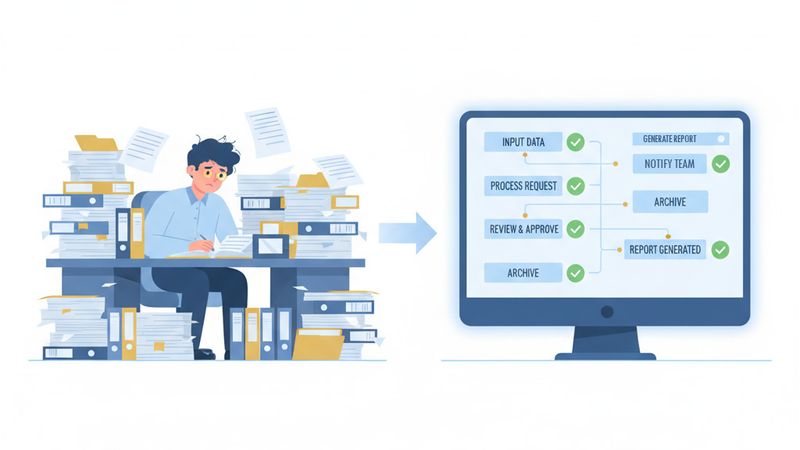
Small business automation is booming. According to a Goldman Sachs 10,000 Small Businesses Voices survey, 76 per cent of small businesses now use artificial intelligence in some form. A separate Intuit QuickBooks survey found that regular AI usage among US small businesses jumped from 48 per cent in mid-2024 to 68 per cent by spring 2025, and that number has only climbed since.
But here is the uncomfortable truth: most of those businesses are automating the wrong things.
Only 14 per cent of small businesses have fully integrated AI into their core operations. The rest are tinkering at the edges: auto-sorting emails, scheduling social media posts, generating the odd template. Useful? Slightly. Transformative? Not even close.
The problem is not the technology. It is what businesses choose to automate. This article explains why so many automation efforts deliver underwhelming results and gives you a practical framework to identify, audit, and prioritise the processes that will actually move the needle.
The Automation Trap: Why Quick Wins Backfire
When most business owners first discover automation tools, the temptation is immediate: automate everything that feels tedious. Send automatic appointment reminders. Auto-file receipts. Set up a chatbot.
These are task automations. They target isolated, individual actions. And while they save a few minutes here and there, they rarely deliver meaningful operational improvement.
The real gains come from process automation: streamlining entire workflows from trigger to outcome. The difference matters enormously.
Consider employee onboarding:
- Task automation sends a welcome email automatically.
- Process automation handles the entire flow: creating user accounts, assigning permissions, provisioning devices, scheduling training sessions, and notifying the relevant teams, all without a single manual handoff.
One saves you two minutes. The other saves you two days and eliminates the risk of forgotten steps.
When businesses focus on isolated tasks rather than complete workflows, they end up with a patchwork of small automations that look impressive in a demo but deliver limited real-world impact. Worse, they create a false sense of progress that delays the harder, more valuable work of rethinking how entire processes flow.
Why Automation Projects Fail (It Is Rarely the Technology)
Research consistently shows that a significant proportion of RPA and AI automation projects stall or get abandoned within the first year. Gartner found that at least 50 per cent of generative AI projects were abandoned after proof of concept, and broader industry studies put automation failure rates anywhere from 30 to 70 per cent depending on the type of automation and the organisation’s maturity.
The causes are remarkably consistent. Industry analysis compiled by 2am.tech identifies the top reasons for business process automation failures:
- Weak change management (35 per cent of failures)
- Insufficient training (31 per cent)
- Choosing the wrong processes to automate (28 per cent)
- Overly optimistic timelines (24 per cent)
Notice that none of those are technology problems. They are strategy and people problems.
There is also a deeper issue that trips up many businesses: automating a broken process. If your current workflow is chaotic, poorly defined, or full of exceptions, automation will not fix it. It will simply execute the chaos faster. The principle is straightforward: automation only speeds up the process that already exists. If that process is flawed, automation makes the flaw run at scale.
And then there is the data problem. IBM estimates that poor data quality costs US businesses roughly $3.1 trillion per year. Automated workflows that depend on fragmented, inconsistent, or outdated data will produce unreliable results and erode trust in the entire automation programme.
The 5-Question Automation Readiness Test
Before you invest time or money in automating any process, put it through this quick readiness test. Score one point for each “yes.” If a process scores below 3, it is not ready to automate. Fix it first.
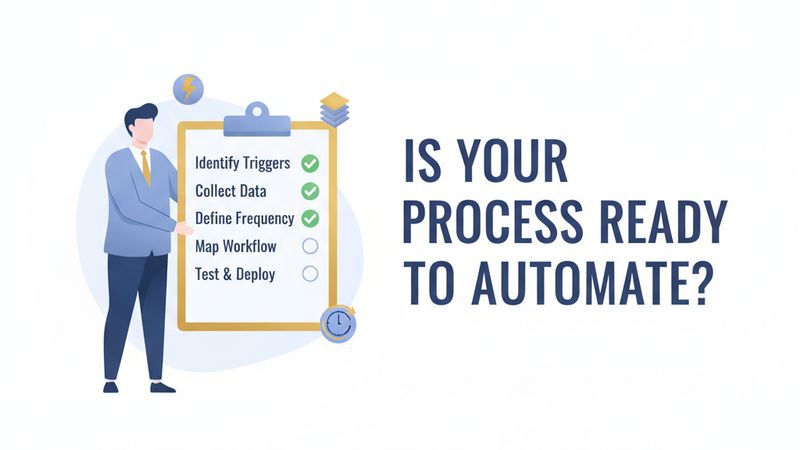
1. Is the process triggered by a consistent, identifiable event?
A new form submission. An invoice arriving. A calendar date. If the trigger is “someone remembers to do it,” you need to fix the trigger before automating the rest.
2. Does it follow the same steps at least 80 per cent of the time?
Occasional exceptions are fine. But if every second instance requires a judgement call or deviation, the automation will need so many conditional branches that maintenance costs will eat the savings.
3. Can the inputs and outputs be defined in a structured format?
The input might be a spreadsheet row, a PDF, or a CRM record. The output might be an email, an updated database field, or a Slack notification. If inputs are unstructured conversations or outputs need creative interpretation, those steps need human involvement.
4. Does it run frequently enough to justify the build?
A task that takes 10 minutes but happens once a month saves 2 hours per year. That will not pay back even a simple automation setup. A task that takes 10 minutes but happens 20 times per day? That saves over 800 hours per year.
5. Is the data accessible via API or export?
If the systems involved have no API, no webhook capability, and no CSV export, you are looking at fragile screen-scraping workarounds. Check API documentation before committing.
Score of 4-5: Strong automation candidate. Proceed with confidence. Score of 3: Possible, but expect caveats and edge cases. Below 3: Fix the process first, then reassess.
Which Processes to Automate First: The Prioritisation Matrix
Once you have audited several processes using the readiness test, you need to decide which one to tackle first. The answer is not necessarily the most expensive or the most annoying.
The best first automation project is the one with the highest ratio of impact to complexity.
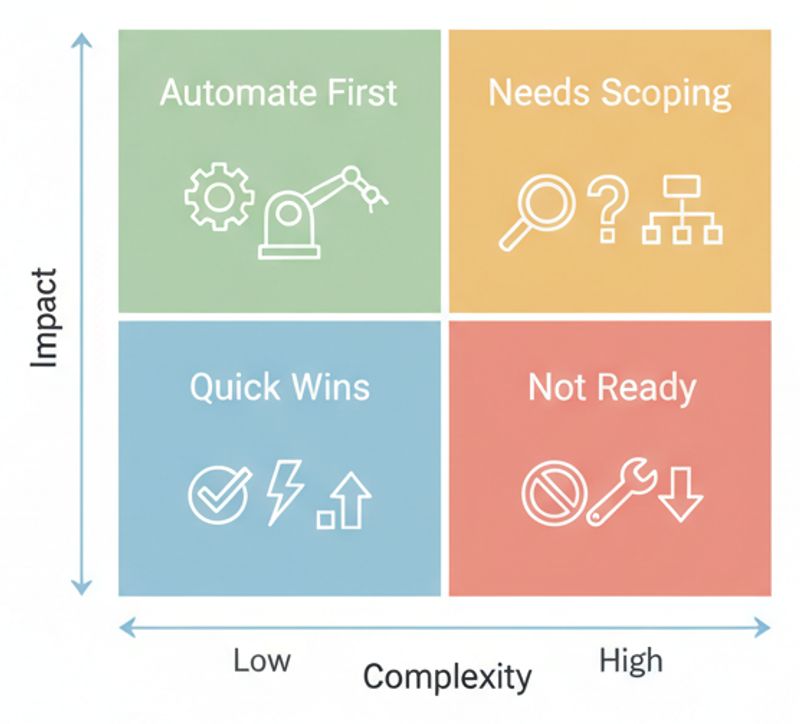
Score each process on two axes:
Impact (1-5): Combine annual time cost, error frequency, and how much it frustrates your team. A process that consumes 20+ hours per week and causes regular mistakes scores a 5.
Complexity (1-5): Factor in the number of systems involved, the number of decision branches, data quality, and whether APIs exist. A process that touches one system, follows a linear path, and has clean data scores a 1.
Here is what that looks like in practice:
| Process | Weekly Hours | Impact | Complexity | Action |
|---|---|---|---|---|
| Invoice processing | 15 | 5 | 2 | Automate first |
| Client onboarding | 8 | 4 | 3 | Automate second |
| Weekly reporting | 4 | 3 | 2 | Quick win |
| Lead qualification | 10 | 4 | 4 | Needs scoping |
| Contract review | 6 | 3 | 5 | Not ready yet |
Start in the top-left quadrant: high impact, low complexity. This gives you a quick win that builds internal confidence and generates measurable ROI to fund the next project.
Avoid the temptation to start with your most complex, highest-cost process. Complex first builds take longer, cost more, and risk poisoning your team’s attitude toward automation if they hit problems early.
The Processes That Consistently Deliver Results
Based on research and real-world outcomes, certain types of workflows consistently deliver strong automation ROI for small businesses:
Invoicing and accounts payable
Manual invoicing is a classic automation candidate: high frequency, rule-based, and data-rich. Businesses that automate their invoicing workflow typically see dramatic improvements in payment speed and cash flow. When invoices go out within hours of a job completing instead of days or weeks later, customers pay faster and your cash position improves immediately.
Employee onboarding and offboarding
Automating account creation, device provisioning, access control, and training schedules ensures new hires are productive from day one. Equally important: automated offboarding closes security gaps when employees leave, revoking access across all systems without relying on someone remembering every platform.
Customer communication workflows
Automated reminders, follow-ups, and status updates improve responsiveness while freeing your team to handle conversations that genuinely need a human touch. This is where marketing automation becomes genuinely powerful. Not as a replacement for personal connection, but as a way to ensure nothing falls through the cracks.
Approval workflows
Purchase requests, expense approvals, and document sign-offs are notorious bottlenecks when handled manually. Automation keeps these processes moving and visible, with automatic escalation when approvals stall.
If you are looking for a structured approach to lead generation and automation, these workflows are often the starting point. They remove friction from the processes that directly affect revenue.
Common Mistakes That Sabotage Automation Efforts
Even with the right framework, businesses regularly fall into predictable traps. Here are the ones to watch for:
Automating based on complaints, not data
The loudest complaint does not always signal the most expensive problem. A team might hate a task that takes 20 minutes per week while ignoring a process that silently consumes 15 hours because it is spread across multiple people. Measure before you prioritise.
Mapping the ideal process instead of the real one
Do not document how the workflow should work. Document how it works today, including the workarounds, the side spreadsheets, and the step where someone manually copies data between two systems. The automation needs to account for reality, not theory.
Skipping exception analysis
For every process, ask: “What happens when this goes wrong?” Document the top five exceptions and how often they occur. If exceptions happen more than 20 per cent of the time, the process needs standardisation before automation.
Not involving the people who do the work
The person performing a task daily knows things no diagram captures. They know which step takes the longest, which system is unreliable, and which workaround they invented because the official process does not handle a common scenario. Interview them. Their knowledge directly shapes whether your automation succeeds or fails.
Trying to automate everything at once
Automating 10 processes simultaneously means 10 things can break simultaneously. Start with one workflow, prove it works, learn from the implementation, and then move to the next. The 93 per cent of businesses that report positive AI impact got there by being strategic and focused, not by trying to automate everything overnight.
How to Calculate the Real Cost of Manual Work
To justify an automation investment, you need a clear picture of what the manual process actually costs. Here is a straightforward formula:
-
Time per instance: Time the process end-to-end for five instances and take the average. Include waiting time between handoffs. Do not rely on estimates, as people consistently underestimate how long repetitive tasks take.
-
Frequency: Count instances per week using system logs or records, not guesswork.
-
Weekly hours consumed: Time per instance multiplied by frequency.
-
Hourly cost: Fully loaded salary (including employer NI, pension, and benefits) divided by annual working hours. For UK businesses, multiply base salary by roughly 1.3x to get a realistic fully loaded figure.
-
Annual manual cost: Weekly hours multiplied by hourly cost multiplied by 48 working weeks.
A process that takes 45 minutes per instance, happens 30 times per week, and is performed by someone on a £35,000 salary works out to roughly £30,000 per year in manual labour costs. Even a modest automation that handles 80 per cent of those instances delivers significant savings.
Getting Started: Your Next Steps
You do not need a consultant, a six-month roadmap, or an enterprise platform to start automating effectively. You need clarity about what to automate and the discipline to do it in the right order.
Here is what to do this week:
-
List your top five most time-consuming repetitive processes. Ask your team. They know where the time goes.
-
Run each through the 5-question readiness test. Score them honestly.
-
Plot the ready ones on the impact-complexity matrix. Identify your top-left quadrant winner.
-
Map that process in detail. Watch someone do it. Document every step, decision point, and handoff.
-
Calculate the manual cost. Use the formula above with real measurements, not estimates.
Then, and only then, choose a tool and start building.
The businesses seeing real results from automation in 2026 are not the ones with the most sophisticated technology. They are the ones who took the time to understand their processes before automating them. Gartner reports that 90 per cent of large enterprises now list hyperautomation as a strategic priority. But for small businesses, the competitive advantage is not in how much you automate, but in how wisely you choose what to automate first.
If you are unsure where to start or want help identifying the highest-impact opportunities in your business, get in touch. AI consulting and growth strategy both start with the same principle: understanding where your time is actually going before you decide what to automate.